Switch stacking connects compatible switches through a supported interconnect and software arrangement so they work as one logical system. Before choosing it, verify the member combinations, usable capacity, and behavior during faults or maintenance for the exact platform.
One management address can simplify an operating task, but it cannot tell you which endpoints survive a failed member. Adding another chassis also changes traffic paths and the scope of maintenance. This guide explains the terms, shows what to check in the bill of materials, and gives you a failure and acceptance worksheet.
Key takeaways
- A normal Ethernet uplink does not automatically create a switch stack.
- Match exact models, software, licenses, modules, and cables before ordering.
- Read stack bandwidth in the vendor’s stated topology and measurement context.
- Check cable, member, control-role, and power failures as separate events.
- Plan upgrades, member replacement, configuration backup, and rollback before deployment.
1. What is switch stacking and what does it combine?
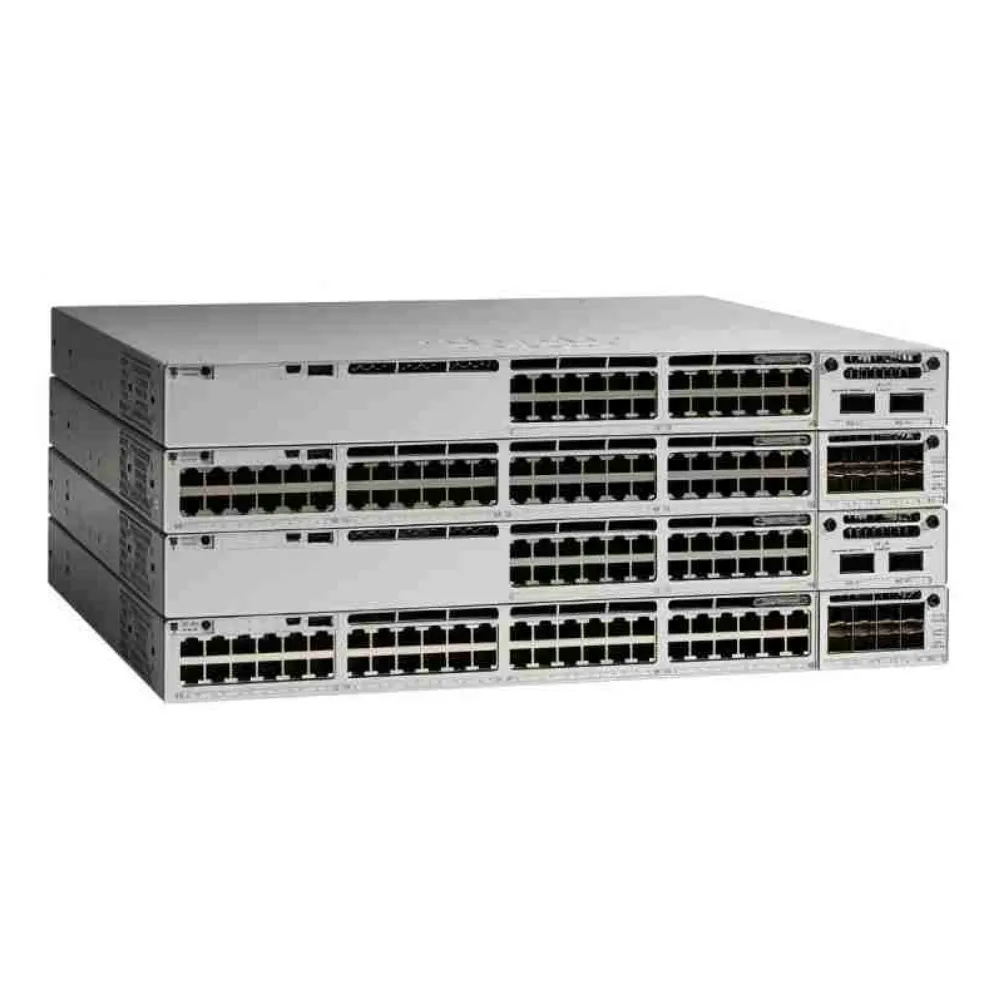
Start with the roles your proposed system combines. A traditional data stack lets supported physical members operate as a logical switch. How it handles management, control, and forwarding depends on the product. Don’t assume vendor labels describe the same design.
A useful switch stacking requirements sheet names the physical members and the logical system they form. Show which links carry stack traffic and which connect clients or upstream devices. That makes the proposal easier to check against the installation.
For the wider selection process, see our enterprise network switch buying guide. To request equipment against a defined design, send CREA DAS TECH your member list, software requirements, and connection plan. Ask the quotation to identify the required interconnect hardware explicitly.
Separate equipment from logical operation
A logical system still consists of individual chassis, ports, power supplies, and cables. Record those items separately, including where endpoints attach. A single management view should not hide the physical path that an application needs.
Juniper’s Virtual Chassis components guide describes supported combinations managed as a chassis and identifies member roles. It also states that member limits vary by platform and software release. Check the specific implementation rather than a generic stacking limit.
Identify the roles that matter
Ask which member handles control functions, what backup role exists, and how the system reports those states. Use the selected platform’s terminology. Do not assume an election, switchover, or replacement works the same way across products.
For switch stacking, turn each claimed benefit into a review question. What configuration task becomes shared? Which status information remains per member? What changes when the system loses a member or a control role?
Illustrative scenario: adding access ports. An IT team plans another chassis because the rack needs more connections. Before ordering, it checks the exact model, software, interconnect parts, and supported member combination. This is a planning example, not a claim that any same-brand switch can join an existing stack.
2. Switch stacking vs uplinks, LAG, and MLAG
Similar-looking cables can serve different purposes. Explain what each connection does before comparing speed figures. Devices can exchange traffic without becoming part of the same logical system.
| Arrangement | Question to resolve |
|---|---|
| Ordinary uplink | How do separate devices exchange traffic and control unwanted paths? |
| Data stack | Which supported members form the logical system, and how are roles handled? |
| Link aggregation | Which physical links form the group, and under what operating conditions? |
| Multi-chassis link aggregation | How do participating peers provide distributed aggregation? |
| Central management dashboard | Are devices only managed together, or do they share a logical switching system? |
| Power pooling | Which hardware shares power, under which budget and failure conditions? |
A connection is not automatically a stack
An uplink provides a traffic path. It does not, by itself, establish common configuration, shared control roles, or stack membership. Confirm the intended operating mode before calling the design switch stacking.
The same caution applies to a daisy chain. Draw the actual links and identify the paths each endpoint depends on. The physical arrangement alone does not establish logical behavior or fault tolerance.
A dashboard can also show several separately operating devices. Check whether the proposal describes common management or a shared logical system. Those can solve different operational needs.
Review link aggregation separately
A link aggregation group, or LAG, combines supported physical connections for a logical link function. If a proposal distributes those connections across stack members, confirm cross-member aggregation support. Include the upstream device and configuration in that review.
The Arista MLAG manual describes aggregation across two peer switches. It includes peer and software considerations specific to that platform. MLAG deserves its own design review rather than being treated as a synonym for traditional switch stacking.
Do not infer single-flow throughput by adding every link’s nominal rate. Ask the engineer to define the traffic mix and forwarding behavior used in a capacity test. A group capacity label does not replace that test.
Keep power arrangements separate
A switch stacking plan should identify data interconnects and power arrangements independently. If the proposal includes shared power, request the applicable hardware, mode, and available budget. Do not assume a data stack creates a shared power pool.
Review endpoint power after the failures the design must tolerate. Installed supply count alone does not establish remaining PoE capacity. Keep power calculations in a separate worksheet tied to the exact equipment.
3. Check compatibility and cabling before ordering
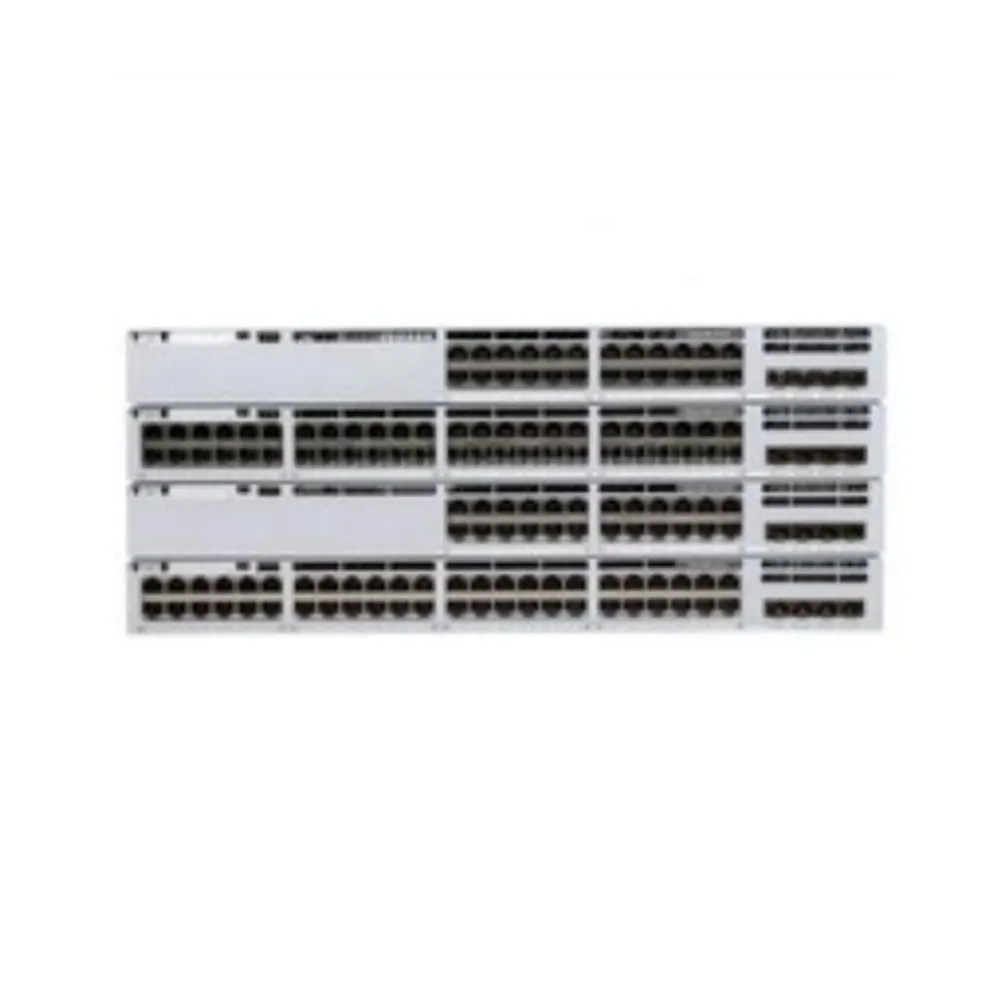
The most useful switch stacking checklist starts with exact identifiers. A family name can cover models with different interconnects, member rules, and accessory requirements. Similar port counts do not prove compatibility.
Read the model and software matrix
Cisco’s Catalyst 9300 data sheet illustrates why details matter. Its stacking table separates these options and states conditions for supported members.
| Cisco model group | Published option | Published stack bandwidth |
|---|---|---|
| C9300X | StackWise-1T | 1 Tbps |
| C9300 | StackWise-480 | 480 Gbps |
| C9300L and C9300LM | StackWise-320 | 320 Gbps |
The table lists up to eight members for these groups. It also specifies member combinations, license-level conditions, and exclusions. Fixed-uplink and modular-uplink models cannot be treated as one unrestricted compatibility group.
These are manufacturer stack-bandwidth figures, not a promise about one application flow. Check the exact configuration and release before using them in a capacity plan. One family name does not mean one speed or one accessory set.
Illustrative scenario: a mixed-stack proposal changes the assumption. A team considers a supported C9300X and C9300 combination. The cited data sheet specifies StackWise-480 operation for that mix, so the team reviews capacity using that condition instead of retaining a 1 Tbps assumption. This describes a documentation check, not measured performance.
Check accessories and assigned ports
List interconnect modules, adapters, cable part numbers, quantities, and lengths. Have the supplier identify what comes with the chassis and what must be ordered separately. Check the physical route and rack layout against the approved parts.
For switch stacking that uses configurable interface roles, record which ports serve the interconnect. Do not count an assigned port again as a spare uplink. Confirm any conversion or restart requirement in the applicable guide.
The quotation should state the member count allowed by the implementation. Juniper’s cited guide lists up to ten EX4400 members with release-specific details. That figure does not permit arbitrary EX or QFX models to join the group.
Compare normal and reduced-capacity paths
Ask how much traffic crosses between members and where it exits upstream. Local forwarding and heavy cross-member traffic place different demands on the design. Map the relevant flows instead of relying only on headline bandwidth.
Your switch stacking plan should show normal paths and paths available during agreed faults. Have the engineer confirm capacity assumptions for each case. Do not invent a universal degradation percentage without platform and topology evidence.
Use a separate row for each important traffic path. Record the source member, destination, upstream exit, expected load, and the links it depends on. Add a second row for the fault condition you need to support. Keep the units and bandwidth measurement method clear.
This switch stacking worksheet should distinguish a published hardware figure from a test result. If traffic must cross members to reach its uplink, include that path in the test. If the upstream link changes after a fault, check that path too. A quiet management session is not a substitute for representative application traffic.
4. Plan failures and maintenance around the actual topology
Availability depends on the complete design and its operating conditions. A stack can remain manageable while some endpoints lose their physical connection. Review the user-facing result as well as reported system state.
Define a test for each event
Use a switch stacking failure matrix to make claims testable. For every row, name affected endpoints, expected paths, and required evidence. Set acceptance criteria before controlled fault tests.
| Event | What the review should establish |
|---|---|
| One interconnect link is unavailable | Allowed resulting topology, remaining paths, and capacity |
| A member stops operating | Lost local ports, surviving traffic paths, and system status |
| The active control role changes | Platform-specific transition and affected functions |
| The interconnect becomes partitioned | Supported detection, protection, and recovery behavior |
| A power source or supply fails | Remaining equipment and endpoint power budget |
| Software maintenance begins | Supported procedure, expected disruption, and rollback |
A single-connected endpoint on a failed chassis cannot keep using that chassis’s lost physical port. If an application needs another path, specify and validate the whole alternative attachment. The rest of the stack being online does not prove every endpoint remains connected.
Draw the ring and its fault condition
Where the platform supports a ring, draw all interconnects and label member ports. Then draw the path with one link removed. Ask the engineer to confirm whether the resulting topology is allowed and how forwarding changes.
For a chain or another arrangement, review its actual links in the same way. Do not assume every platform behaves like the ring example. Avoid claiming either that one cable loss always takes down the stack or that it can never affect service.
This switch stacking worksheet should include how the system identifies a partition or changed membership. Request relevant documentation and monitoring information. Those details matter when replacement or wiring changes create an unexpected state.
Treat an upgrade as a specific procedure
An upgrade feature name is not an application-availability guarantee. Confirm starting and target releases, member combinations, enabled features, and required steps. Ask what should restart and how to recover.
For switch stacking maintenance, agree on a window, backup, access method, and stop conditions. Keep rollback instructions available to the responsible engineer. Do not infer hitless operation from a general redundancy statement.
5. Build the BOM and acceptance test
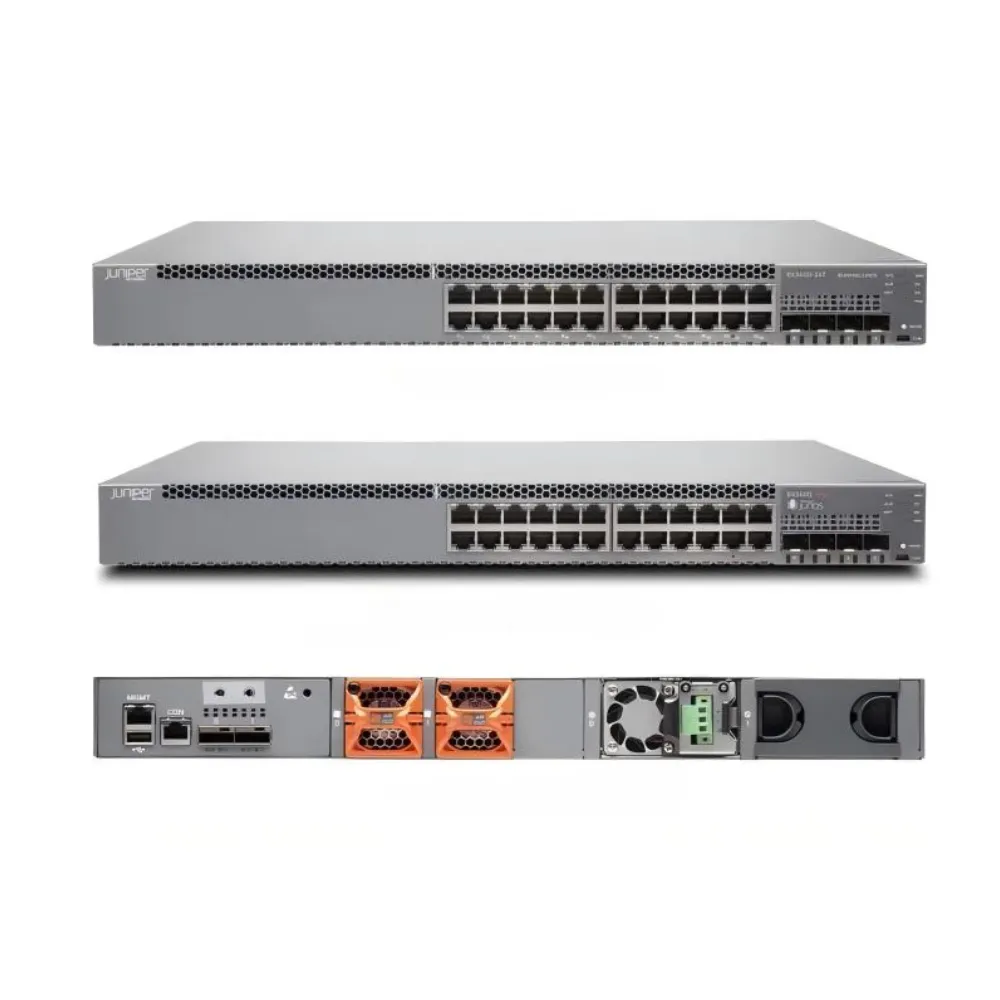
A switch stacking bill of materials should describe a complete configuration. Include chassis, interconnect parts, power, software, and support requirements. Let another reviewer trace each item back to the design.
Keep the member map with the order
Record member identifiers, locations, endpoint ports, uplinks, and interconnect assignments. Use the same labels on diagrams and installation records. Add space, cable-route, and service-access constraints.
Our access switch selection guide covers endpoint and interface questions. The enterprise core switch guide addresses campus roles and requirements. Neither replaces documentation for the exact switch stacking implementation.
Illustrative scenario: a member needs replacement. Before a planned change, the team lists endpoints attached only to that member, the uplinks it carries, and required replacement settings. It prepares maintenance and rollback steps around those dependencies. This example does not promise outage-free replacement.
Request comparable equipment and terms
Use the network switch procurement checklist to organize the quote. Request:
- Exact chassis and interconnect parts.
- Required software and licenses.
- Power supplies, cords, and mounting hardware.
- Support, warranty terms, and delivery conditions.
- Exclusions and clearly marked substitutions.
Require substitutions to identify changes in compatibility or operating assumptions.
At this stage of switch stacking planning, request a configuration-specific quote from CREA DAS TECH with the member map and failure requirements. Ask which interconnect parts are included. Keep unresolved compatibility questions visible until supported by applicable evidence.
Capture operation and recovery evidence
Before acceptance, verify membership, interconnect status, roles, and required endpoint paths. Confirm software and configuration records. Carry out agreed reduced-capacity and maintenance checks under controlled conditions.
Keep the record specific: traffic used, fault introduced, expected result, observed result, and approval. A management login is not a complete availability test. Store replacement and recovery instructions with handover materials.
Give every open item an owner. If a proposed software combination lacks confirmation, mark it pending rather than treating it as supported. If a cable length or module is missing from the order, resolve it before installation. This switch stacking review is easier to repeat when the diagram, parts list, and evidence use matching labels.
Keep a dated copy of the approved baseline. Record later member, software, and cabling changes against it. Before repeating a replacement or upgrade procedure, check that its assumptions still match the installed system.
6. Switch stacking FAQs and next steps
Can I stack switches from different vendors?
Do not assume a common Ethernet interface creates a supported cross-vendor stack. Use the chosen implementation’s compatibility list. Ordinary links between vendors are a different design question.
Can I mix any models from the same series?
No such conclusion follows from the name. Check SKU, release, license, interconnect, and mixed-member restrictions. Some supported combinations also change operating bandwidth or available features.
Is connecting two uplinks the same as stacking?
No. An uplink or link group provides connectivity under its own design. Switch stacking requires supported membership and logical-system operation, not merely a pair of cables.
Does a member failure leave every endpoint online?
Not necessarily. Consider endpoints attached only to that member, shared paths, and control behavior. Test the complete alternative path if continued application access is required.
Can a stack be upgraded without interruption?
Only a model, release, feature, and procedure review can establish expected behavior. An upgrade label is not a universal no-interruption promise. Agree on application tests and rollback first.
How many members should we deploy?
Start with the supported limit, then evaluate ports, interconnect traffic, failure scope, and maintenance needs. The maximum count is a boundary, not automatically the right deployment size.
Can a stack span different cabinets?
Verify supported media, lengths, physical routes, and installation conditions. Include the resulting fault and power dependencies. Do not extend a local-rack design by assumption.
The right switch stacking decision combines compatibility, traffic paths, and a realistic maintenance plan. Put those requirements into the evidence sheet used to compare quotes. Keep the logical benefit connected to the physical equipment users depend on.
Send your stacking requirements to CREA DAS TECH with member models, software, interconnects, and acceptance criteria. Request an itemized quote that can be checked before ordering.