1.Role of Core Switch in Modern Enterprise Networks
All data packets transmitted between buildings, data centers, or the internet must pass through the core switch. Located at the center of the network, it is responsible for aggregating traffic from aggregation and access layer switches and quickly forwarding it to its destination.
By 2026, most enterprises will be running Wi-Fi 6/6E, thousands of IoT devices, and multi-cloud environments. This means that core switches must be able to handle higher bandwidth, make smarter forwarding decisions, and incorporate security into every data packet.
2.Core Switch vs Distribution Switch vs Access Switch
The three layers perform different functions:
- Access switch: Connects endpoint devices, including PCs, access points, and IP cameras.
- Distribution switch: Consolidates multiple access switches and applies network policies.
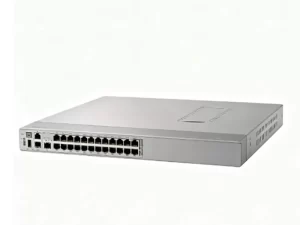
- Core switch: Delivers high-speed, non-blocking connections between distribution layers, data centers, and the WAN edge.
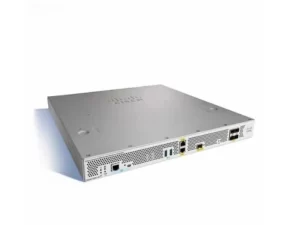
The C9500-48Y4C-A is best suited for use as a compact enterprise core switch or a high-density campus aggregation switch.
3.Cisco Catalyst C9500-48Y4C-A Overview
3.1 Product Positioning in Cisco Catalyst 9500 Series
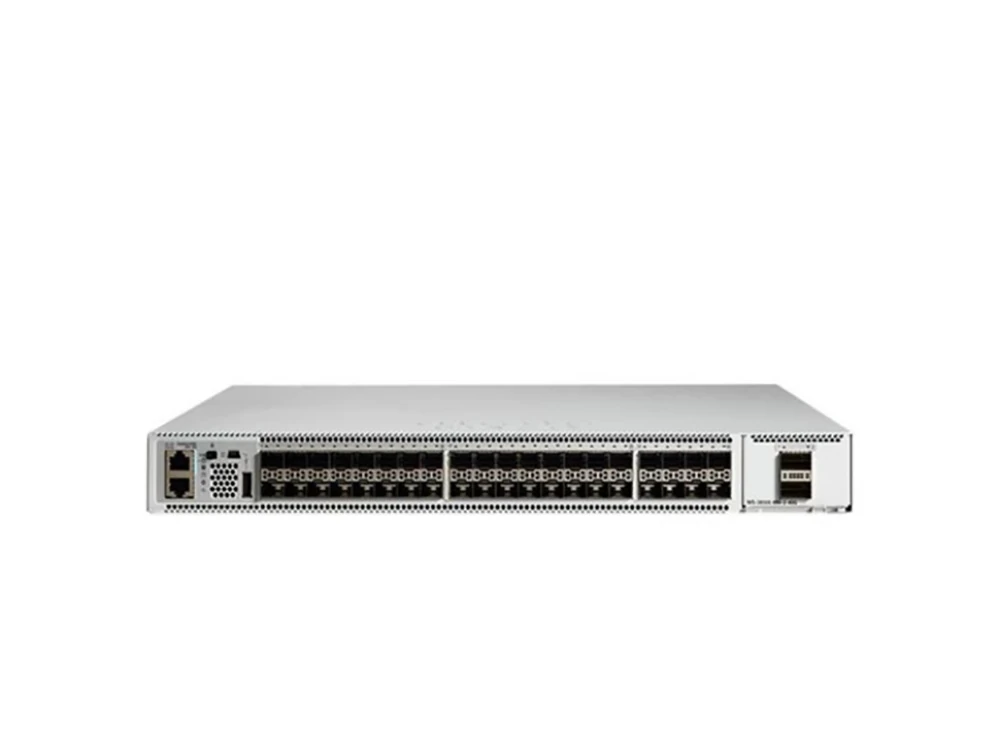
The Catalyst 9500 Series is Cisco’s top fixed-core enterprise switch line. The C9500-48Y4C-A sits at the high-density end: 48 ports of 25G SFP28 downlinks and 4 ports of 100G QSFP28 uplinks, all in a 1RU box. Inside is the Cisco UADP 3.0 ASIC, which brings programmability, telemetry, and wire-speed encryption.
3.2 Target Use Cases
- Large campus aggregation
- Compact enterprise core for mid-sized organizations
- SD-Access fabric border node
3.3 Key Benefits
- 3.2 Tbps non-blocking switching capacity
- Includes Network Advantage license, with support for BGP, VXLAN, VRF, and SD-Access.
- StackWise Virtual for high availability
- MACsec-256 encryption on all ports
4.Key Specifications
| Specification | Detail |
| Downlink Ports | 48 × 1/10/25G SFP28 |
| Uplink Ports | 4 × 40/100G QSFP28 |
| Switching Capacity | 3.2 Tbps |
| Forwarding Rate | 1 Bpps |
| MAC Address Table | 82,000 |
| IPv4 Routing Entries | 212,000 |
| ASIC | Cisco UADP 3.0 |
| Form Factor | 1RU |
| Redundancy | Dual power, 5 fans |
5. Performance and Architecture: 3.2 Tbps Throughput and UADP 3.0 ASIC
5.1 How UADP 3.0 ASIC Improves Packet Processing
The UADP 3.0 ASIC handles three key things in hardware: programmable packet processing, VXLAN routing, and encryption. Because it’s done in hardware, there’s no performance hit. The switch can run micro-segmentation and Encrypted Traffic Analytics (ETA) at full line rate.
5.2 Non-Blocking Architecture Explained
Non-blocking architecture: Each port operates at line speed and can work at full speed simultaneously. The C9500-48Y4C-A offers up to 3.2 Tbps of switching capacity, ensuring zero packet loss even under full load conditions.
5.3 High-Density Traffic Handling
When aggregating many 10G or 25G access switches, traffic tends to be bursty. The core layer needs to handle these bursts of traffic without dropping data packets. With 48 downlinks and 100G uplinks, the C9500-48Y4C-A ensures you won’t oversubscribe your core.
6.25G/100G Port Configuration Explained
6.1 Why 25G Is the New Standard for Campus Access
25G is about 2.5 times faster than 10G, but the price difference between the two is minimal. Furthermore, you don’t need to replace your existing optical modules—the SFP28 port of the C9500-48Y4C-A is backward compatible with 10G and even 1G modules.
6.2 Role of 100G Uplinks in Core Aggregation
Here’s a simple math problem: 48 downlinks, each with a speed of 25G, are sufficient to handle massive traffic. If only one 100G uplink is used, congestion will occur very quickly. Four 100G uplinks will provide you with the ample headroom you need – say goodbye to congestion altogether.
6.3 Fiber Connectivity
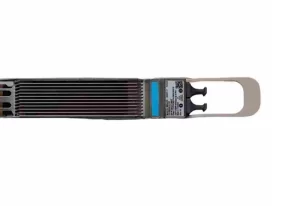
All ports use fiber optics. You can use multimode (SR) for shorter connections within a building, or single mode (LR) for longer distances between buildings. For this reason, this switch is ideal for use in campus backbone networks and inter-building interconnection.
7.SD-Access and Layer 3 Capabilities
7.1 Introduction to Cisco SD-Access
Cisco SD-Access takes the hassle out of network segmentation. You set the policy; the fabric handles the rest. Thanks to the Network Advantage license, the C9500-48Y4C-A fits right in. You can deploy it as a Control Plane Node (manages device connections) or a Border Node (connects the SD-Access fabric to outside networks).
7.2 Micro-Segmentation and Security
With SD-Access and VXLAN, you can create flexible network segments without the complexities of traditional ACLs. This helps to narrow your attack surface and simplify compliance management.
7.3 Layer 3 Routing
The switch comes with comprehensive dynamic routing capabilities — BGP, OSPF, IS-IS, and VRF are all supported.
8.StackWise Virtual and High Availability
8.1 How StackWise Virtual Works
StackWise Virtual allows two physical C9500 switches to operate as a single logical unit. This eliminates the need for Spanning Tree Protocol (STP) and enables active-active uplinks via Multichassis EtherChannel.
8.2 Redundancy and Failover
With the help of NSF/SSO, failover can be completed in less than a second—routing traffic will continue to flow without interruption.
8.3 Benefits for Mission-Critical Networks
You will achieve a more streamlined design, faster convergence speeds, and better uplink utilization. That matters for finance, healthcare, and large campuses.
9.Deployment Scenarios
9.1 Large Campus Aggregation
Integrates 25G fiber uplinks from dozens of building-level access switches, enabling centralized aggregation across a multi-building campus.
9.2 Compact Enterprise Core
For a mid-sized enterprise operating within a single campus, the entire core layer can be consolidated onto one or two C9500-48Y4C-A switches, which are capable of forwarding all East-West traffic.
9.3 SD-Access Fabric Border Node
Position the switch at the fabric edge, where it routes traffic between the SD-Access fabric and external networks — whether the internet, your data center, or the cloud.
10.Data Center vs Campus Core: Where This Switch Fits Best
Some organizations use the Catalyst 9500 in small data centers. But its primary home is the enterprise campus core and aggregation. For large-scale data center spine-leaf, other platforms are a better fit. But if you need a campus core with 25G/100G, low latency, and SD-Access, the C9500-48Y4C-A is a strong choice.
11.How to Choose the Right Core Switch
11.1 Bandwidth Planning
Add up your total aggregation bandwidth. If your access switches need more than 10G uplinks, you should be looking at 25G.
11.2 Scalability
Think 3–5 years ahead. 48 ports of 25G and 4 ports of 100G leave plenty of room to grow.
11.3 Software Features
Do you need BGP, VXLAN, or SD-Access? If yes, make sure you have Network Advantage. On the -A model, it’s included.
12.C9500-48Y4C-A vs Other Core Switch Options
| Model | Downlinks | Uplinks | Capacity | Use Case |
| C9500-24Y4C-A | 24 × 25G | 4 × 100G | 2.0 Tbps | Smaller cores |
| C9500-48Y4C-A | 48 × 25G | 4 × 100G | 3.2 Tbps | High-density core |
Moving from 10G to 25G means fewer ports for the same throughput, lower latency, and a campus that won’t feel old in two years.
13.Total Cost of Ownership (TCO) and Long-Term Value
Upfront, a 25G switch costs more than a 10G switch. But the C9500-48Y4C-A lowers TCO in three ways:
- One switch replaces multiple 1RU switches
- Less cabling complexity
- Longer refresh cycles — 5 to 7 years
14. Installation and Management
14.1 Rack Deployment
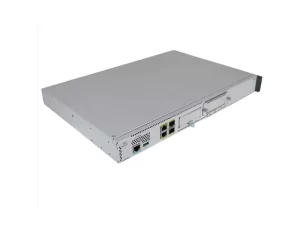
The 1RU size fits any standard 19-inch rack. For full redundancy, order two power supplies (C9K-PWR-650WAC-R) and five fan trays (FAN-T4-R).
14.2 Management
Cisco IOS XE gives you solid management tools. The switch also supports NetFlow and Encrypted Traffic Analytics (ETA) for monitoring.
14.3 Monitoring
Use ETA to spot threats inside encrypted traffic — without decrypting it.
15.Common Mistakes When Selecting Core Switches
- Underestimating bandwidth needs – 10G saturates faster than you think.
- Ignoring software licensing – Essentials doesn’t have BGP, VXLAN, or SD-Access.
- Forgetting redundancy – Always plan for dual power and StackWise Virtual.
- Overlooking fiber infrastructure – Make sure your fiber plant can handle 25G/100G.
16.Frequently Asked Questions (FAQ)
Q1: Difference between C9500-24Y4C-A and C9500-48Y4C-A?
A: The 48Y4C has twice as many downlink ports (48 vs 24) and higher switching capacity (3.2 Tbps vs 2.0 Tbps).
Q2: Are the 25G SFP28 ports backward compatible with my existing 10G network?
A: Yes. They support 1G, 10G, and 25G. Your old optics will work.
Q3: Can I run BGP and VXLAN on this switch?
A: Yes. The included Network Advantage license gives you BGP, OSPF, IS-IS, VRF, and VXLAN.
Q4: Do I need a Cisco DNA subscription to use this switch?
A: No. The switch works fine without it. A DNA subscription adds optional automation and assurance.
Q5: Can I link two of these switches together for redundancy?
A: Yes. Use StackWise Virtual. It gives you NSF/SSO and active-active clustering.
17.Conclusion: Is the C9500-48Y4C-A Right for Your 2026 Network?
If you’re building or upgrading a campus core or aggregation layer in 2026, the C9500-48Y4C-A is one of the most future-proof options you can buy.
Here’s what you get:
- 48 × 25G ports for high-density access aggregation
- 4 × 100G uplinks to eliminate bottlenecks
- 3.2 Tbps non-blocking capacity
- Built-in SD-Access and enterprise routing (BGP, OSPF, IS-IS, VRF, VXLAN)
- StackWise Virtual for carrier-grade HA
- MACsec-256 encryption on every port
For enterprises rolling out Wi-Fi 6/6E, moving to multi-cloud, or migrating from 10G to 25G, this switch delivers a strong balance of port density, throughput, and long-term value.