Choosing between network switch brands starts with the network you need to build. An office access network, a data center fabric, and a Fibre Channel storage network need different equipment. A familiar logo alone cannot tell you whether a switch has the right interfaces, software, power budget, or support arrangement.
For a useful shortlist, compare deployment role first, then the relevant product family, management approach, and complete purchase configuration. Cisco, HPE Aruba Networking, Juniper, Dell, Brocade, NVIDIA/Mellanox, Fortinet, Arista, Huawei, and Extreme Networks offer options worth investigating in their respective areas. This guide explains where to start and what to verify before requesting a quote.
The list is a comparison framework, not a market-share ranking. Inclusion does not establish that every product is available through CREA DAS TECH or that every brand serves the same network type.
Network switch brands compared by deployment role
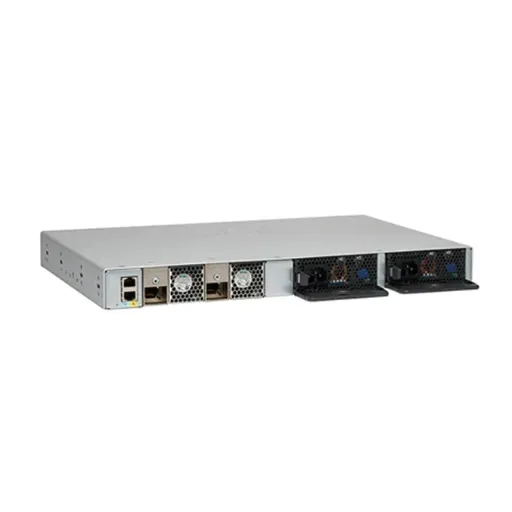
An enterprise switch connects devices within a network and provides the capabilities required by that deployment. Those capabilities may include monitoring, segmentation, routing, redundant operation, or Power over Ethernet (PoE). They depend on the exact model and software configuration.
When comparing network switch brands, separate three technologies. Ethernet connects conventional campus and data center networks. Fibre Channel connects compatible storage systems through a dedicated storage area network (SAN). InfiniBand is another interconnect used in high-performance computing and AI systems. Similar port counts or advertised speeds do not make these technologies interchangeable.
| Brand or product identity | Starting point for investigation | Deployment to investigate | Main purchase check |
|---|---|---|---|
| Cisco | Catalyst and Nexus portfolios | Campus Ethernet and data center Ethernet | Exact family, software, licenses, and optics |
| HPE Aruba Networking | CX switching portfolio | Campus access, aggregation, core, and data center | CX model, management plan, and feature coverage |
| Juniper | EX and QFX portfolios | Enterprise access and data center Ethernet | Platform, software support, and management requirements |
| Dell | PowerSwitch portfolio | Data center Ethernet and open networking | Supported hardware/software combination |
| Brocade | G-series Fibre Channel switches | Dedicated Fibre Channel SAN | Storage compatibility and port activation |
| NVIDIA/Mellanox | Spectrum Ethernet; separate InfiniBand portfolio | AI, cloud, and high-performance computing | Protocol, adapters, cables, and supported topology |
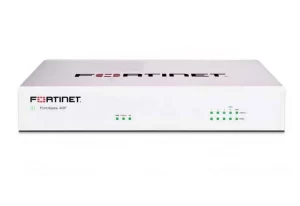
| Fortinet | FortiSwitch portfolio | Campus, branch, and data center Ethernet | Standalone or managed deployment requirements |
| Arista | EOS-based switching portfolio | Data center and campus Ethernet | Platform, features, and automation workflow |
| Huawei | CloudEngine campus and data center portfolios | Campus and data center Ethernet | Series, software, and support availability |
| Extreme Networks | Universal switching, including 5420 | Campus and enterprise edge Ethernet | Operating system choice and management configuration |
This table narrows the investigation. It does not replace a bill of materials. Ask each supplier to identify the model, software, accessories, and support behind its recommendation before comparing network switch brands on price.
What to check across the 10 brands
1. Cisco: distinguish campus from data center switching
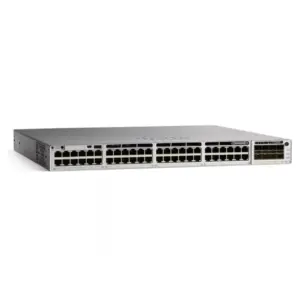
Cisco’s switching portfolio includes different product families for different environments. Catalyst and Nexus are useful starting points for campus and data center requirements respectively. A family name is still only the beginning of a configuration decision.
Check downlink and uplink interfaces, required routing features, software releases, power supplies, and the management architecture. Ask which features require additional entitlement and which services are included in the quote. Match optical modules to the exact platform and release.
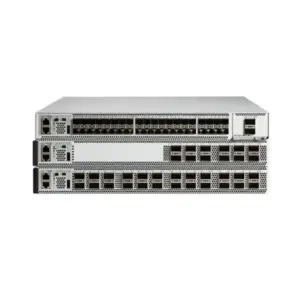
For network switch brands already present in your organization, operational continuity belongs in the comparison. Existing procedures can be valuable, but they should not conceal a capacity mismatch. Review the Cisco hardware catalog and use the C9500 core-switch buying guide for a deeper model-oriented discussion.
2. HPE Aruba Networking: compare the relevant CX platform
The HPE Aruba Networking CX portfolio spans campus and data center uses. Its product page distinguishes access, aggregation, core, and data center options. Start with the appropriate role rather than treating all HPE switches as equivalent.
Confirm the interfaces, PoE capability where needed, redundancy design, software functions, and intended management service. Request the documents that connect those requirements to the proposed part number. A model with enough ports may still lack the power or operational features your deployment requires.
Comparing network switch brands within the same corporate group also requires care. HPE completed its Juniper acquisition in 2025, as documented in its annual report. Aruba and Juniper remain useful product identities to compare; common ownership does not establish identical configurations or interchangeable management tools.
3. Juniper: specify EX or QFX and the operating requirements
Juniper’s switch portfolio provides EX and QFX product families for enterprise and data center requirements. Select the platform around its intended role, then check the software and management functions needed by the project.
For an access deployment, define endpoint counts, uplinks, PoE requirements, and monitoring needs. For a data center, document the server connections and fabric design. Avoid assuming that support for a feature elsewhere in the portfolio proves support on the proposed model.
When evaluating Cisco vs Juniper switches, compare the same deployment role and complete configuration. Include staff experience, change procedures, support coverage, and software entitlements. The Juniper switch category and business access-switch guide provide separate procurement and selection paths.
4. Dell: verify the hardware and network operating system together
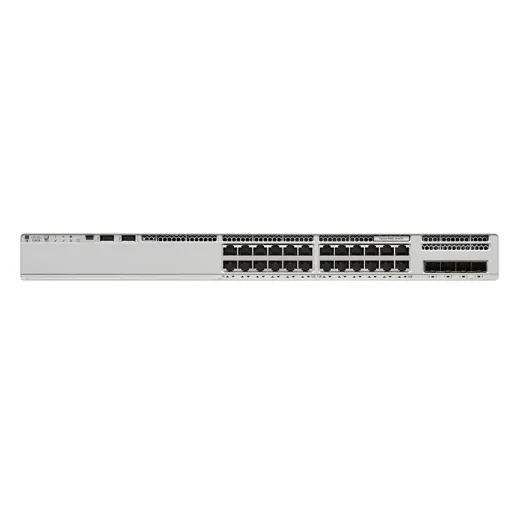
Dell describes PowerSwitch data center switches for top-of-rack, aggregation, and spine-and-leaf architectures. Its open-networking options make the supported software combination an essential part of the buying decision.
Request the exact hardware platform, operating system, version, licenses, and support arrangement as one documented configuration. Confirm who handles a software fault and who replaces a hardware component. Do not infer that every operating system works on every PowerSwitch model.
Among network switch brands considered for a server refresh, Dell may be a useful candidate to investigate alongside existing infrastructure. Shared branding is not sufficient proof of compatibility. Compare interface types, supported modules, rack airflow, power, and management integration against the actual deployment plan.
5. Brocade: keep Fibre Channel SAN selection separate
Brocade’s Fibre Channel switches address storage networking. The G720 product brief is an example of a dedicated SAN platform, not a replacement for an Ethernet access switch.
Start your comparison of storage network switch brands with the environment: arrays, host adapters, existing fabric, and supported software combinations. Then verify activated ports, optical modules, required licenses, and management coverage. A purchase can include physical ports without including every activation or accessory needed for the project.
For network switch brands serving storage infrastructure, compatibility evidence should lead the shortlist. Consult the Brocade switch catalog for listed equipment, then validate the configuration against the storage vendor’s support requirements. Keep Fibre Channel and Ethernet comparison columns separate so procurement teams do not compare unsuitable alternatives.
6. NVIDIA/Mellanox: distinguish Ethernet from InfiniBand
NVIDIA’s Ethernet switching portfolio includes Spectrum platforms for AI and cloud networking. Equipment identified with NVIDIA or Mellanox can also involve other interconnect technologies, so the name alone does not settle the protocol choice.
Specify whether the project requires Ethernet or InfiniBand before discussing speeds and port density. Ask for a supported combination of switches, adapters, cables, optics, software, and topology. A high advertised rate cannot compensate for an incompatible connection.
Network switch brands for AI deployments should be assessed against a documented system design. Preserve the distinction between compute traffic and other network roles. The Mellanox switch listings are a catalog starting point; individual part numbers and their protocol must be checked before ordering.
7. Fortinet: investigate FortiSwitch and its management mode
Fortinet’s FortiSwitch portfolio covers campus, branch, and data center switching. This is the relevant switching family to investigate, rather than substituting a general description of Fortinet firewalls.
Fortinet’s hardware documentation describes standalone and managed deployment approaches. Check the supported management method for the exact model and software combination, especially when the design includes a FortiGate or another management service.
For network switch brands evaluated in a security-focused environment, integration can be a useful selection criterion. It is still necessary to verify port requirements, PoE budget, management coverage, and software compatibility. Put the proposed deployment mode in the quote so the hardware recommendation and operating plan can be reviewed together.
8. Arista: evaluate the platform and operating workflow
Arista’s product portfolio includes data center and campus platforms, with EOS and CloudVision presented as parts of its operating ecosystem. Avoid reducing the entire brand to one deployment category.
Identify the product family that fits the role, then check interfaces, required software functions, management, and support. Ask how the proposed platform will fit existing automation and troubleshooting procedures. Confirm feature availability and entitlement rather than assuming every portfolio capability is included.
When comparing network switch brands for an automated fabric, include the practical workflow: configuration review, monitoring, upgrades, rollback planning, and staff familiarity. A useful evaluation tests the processes your team will perform, rather than comparing feature names alone. Keep any performance claim tied to the specific model and test conditions.
9. Huawei: choose the appropriate CloudEngine family
Huawei provides separate campus switching and data center switching portfolios. CloudEngine branding therefore needs to be followed by the precise series and model.
Check port types, uplinks, software, management requirements, and support arrangements. Ask for written confirmation that the proposed product can be supplied and supported for your deployment location and purchasing requirements. Do not use a portfolio-wide statement as proof of a particular model’s features.
Network switch brands with broad catalogs need a careful shortlist. Separate campus access from data center requirements before requesting alternatives. Where an existing network uses Huawei, document the compatibility and operating constraints first; where it does not, include training and migration work in the evaluation.
10. Extreme Networks: confirm the operating system choice
Extreme’s 5420 Universal Switch series illustrates a campus platform with a choice of operating system and management options. The operating configuration belongs in the purchase specification alongside the physical model.
Ask the supplier to identify the intended operating system, management service, software version, and accessories. Verify model-specific uplinks and PoE requirements. Confirm how the platform will fit the network’s provisioning and upgrade procedures before considering it interchangeable with an existing switch.
Comparing network switch brands is easier when every candidate has the same requirements sheet. Universal hardware does not remove the need to document its selected software personality and supported functions. Evaluate the proposed configuration, not simply the flexibility described at portfolio level.
How to choose network switch brands for your deployment
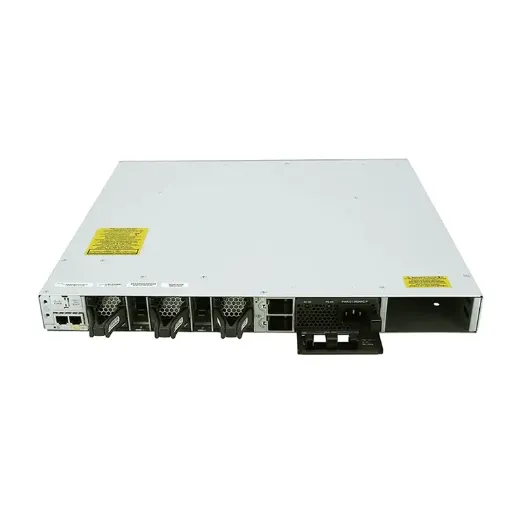
Campus networks: start with endpoints and operations
Campus selection begins with the devices being connected. Count wired users, phones, cameras, and access points separately. Identify which need PoE, then define port speeds, uplinks, monitoring, and recovery requirements. Compare network switch brands using that common inventory.
Illustrative scenario: An office adds wireless access points to an existing wired network. The procurement team initially requests switches by port count. The engineer adds endpoint power requirements and a management plan to the comparison sheet. The shortlist now reflects both connectivity and power, without assuming every same-size switch fits. This is a hypothetical example, not a customer result.
Use the access-switch selection guide for the detailed checklist. If your requirements are ready, send the endpoint and uplink plan to CREA DAS TECH using the catalog’s quote route.
Data centers: compare equivalent fabric roles
Separate leaf, spine, and other network roles. Record server interface requirements, rack connections, expected traffic, and the operating model. Compare network switch brands against the same fabric specification so a campus product is not assessed as a substitute for a data center platform.
Illustrative scenario: A team comparing two fabric proposals receives different switch quantities and accessory lists. It requests a matching topology and a complete bill of materials from both suppliers before comparing totals. This reveals what each proposal includes; it does not establish that either design will perform better without further validation.
The data center switch guide covers that separate selection problem. Keep detailed capacity calculations there while using this article to compare brand portfolios.
AI and storage: choose the interconnect before the supplier
Confirm the system’s required protocol and supported components. Fibre Channel SAN and InfiniBand selection should remain separate from ordinary Ethernet switching. Compare network switch brands only after that boundary is clear.
Illustrative scenario: A storage buyer searches for a fast switch but has a Fibre Channel environment. The team revises its request to include the storage platform, host adapters, and fabric requirements. Suppliers can then propose relevant equipment rather than an unrelated Ethernet product. This example describes a selection process, not a measured outcome.
Licensing, support, and purchase checks
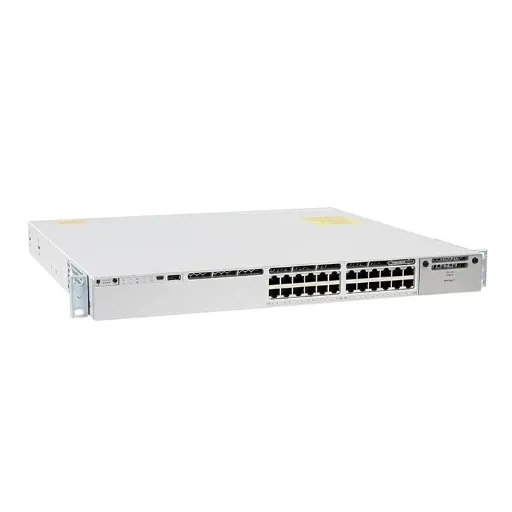
The purchase price is one part of total cost. Compare network switch brands using a common ownership period and the same included items. Request line items for hardware, optics, cables, licenses, management, support, installation, training, and renewal assumptions. Mark unknown costs instead of inventing savings percentages.
Use this checklist before approving a quote:
- Identity: Exact part numbers, condition, quantity, and proposed software.
- Connections: Required ports, optics, cables, distances, and compatibility evidence.
- Power and mounting: Supplies, airflow direction, rails, and site constraints.
- Entitlements: Included licenses, activation, management, and support services.
- Lifecycle: Published product notices and the support period needed by your project.
- Supplier terms: Source documentation available, warranty responsibilities, returns, and written delivery terms.
For existing or end-of-life equipment, availability and technical suitability are separate questions. Obtain evidence for both. Comparing network switch brands does not establish that a particular unit has support entitlement or that a supplier is an authorized reseller.
CREA DAS TECH supplies network communication equipment and provides a catalog across multiple brands. Request a configuration review through the product catalog with your bill of materials, required services, and delivery location. Confirm the proposed offer in writing before ordering.
Frequently asked questions
Which network switch brands should an enterprise compare first?
Start with the product families that serve the required role and protocol. Then compare network switch brands on model-level capabilities, management, support, and complete configuration. The relevant shortlist for campus Ethernet can differ from the shortlist for Fibre Channel storage or an AI interconnect.
Should we choose the cheapest quote?
First align the included equipment and services. A lower total may omit optics, licenses, power supplies, or support. Compare network switch brands with a matching bill of materials and a stated ownership period; then assess price alongside deployment and operational requirements.
Are HPE Aruba Networking and Juniper the same product range?
No. HPE owns Juniper following the completed acquisition, but the product families still need separate evaluation. Check the exact platform, software, management, and support documentation. Corporate ownership alone does not establish technical interchangeability.
Can a SAN switch replace an Ethernet switch?
A Fibre Channel SAN switch serves a different protocol environment. Choose equipment that matches the storage design and supported components. Keep protocol boundaries visible when comparing network switch brands, even where products have similar-looking connectors or speed labels.
What should a request for quotation include?
Include the deployment role, endpoint or server count, port speeds, PoE requirements, topology, optics, software needs, support expectations, quantity, and delivery location. If some choices are unresolved, identify them as questions rather than leaving the supplier to assume a configuration.
The right comparison of network switch brands ends with a documented shortlist and an explicit configuration. Bring that requirements sheet to your supplier, verify the evidence behind the offer, and choose the equipment your team can deploy and maintain.