Ethernet switches and storage switches forward data. That is where the similarity ends though. SAN switches are purpose-built to move storage traffic between servers and storage arrays—with zero packet loss, low latency, and high throughput.
An Ethernet switch is like a public highway—open to all traffic, prone to congestion, and susceptible to packet loss under heavy load. A SAN switch is like a dedicated railway line—exclusively for storage traffic, delivering lossless transmission with stable sub-microsecond latency. Free from congestion and collisions, it provides a reliable, high-speed transmission channel solely for your critical data.
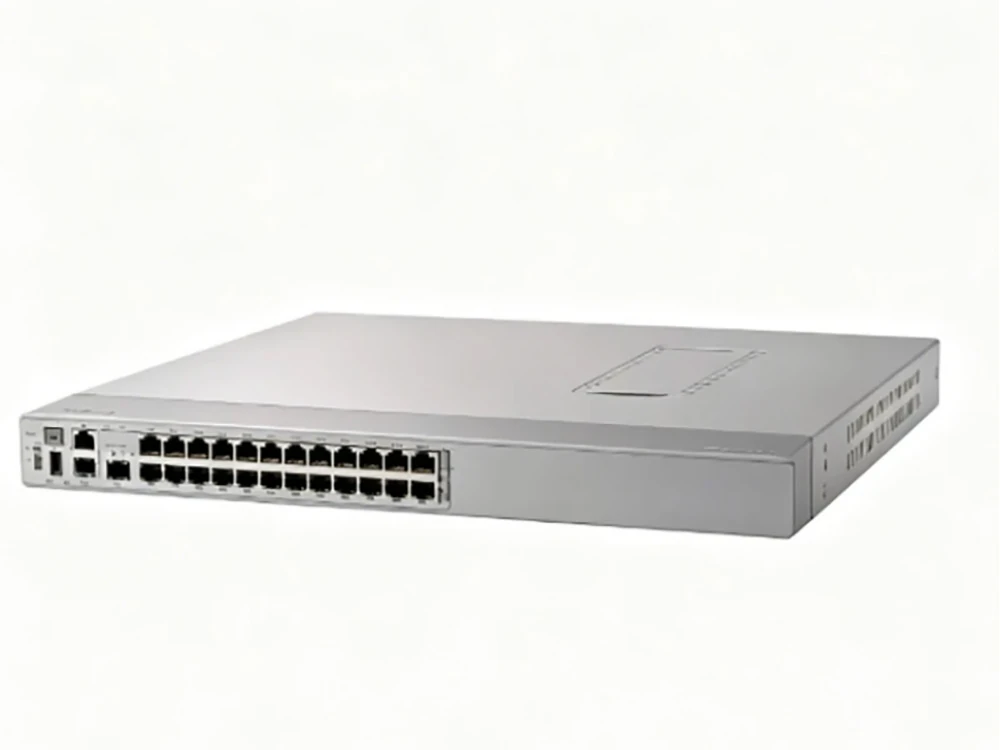
1.What Does a SAN Switch Do?
storage area network switches connect servers to shared storage via Fibre Channel or NVMe/FC. Their function is to transmit storage traffic at high speed, with stability and absolute reliability.
1.1 High-Speed Data Forwarding
It forwards traffic between servers and storage arrays at 8 to 32 Gbps (with 64 Gbps emerging) while maintaining line-rate performance, meaning no slowdown even under heavy load.
1.2 Fabric Services
Multiple SAN switches form a fabric—a unified network with built-in redundancy. The fabric maintains a live directory of connected devices, enforces access controls (zoning), and automatically reroutes traffic when a link fails.
1.3 Lossless Flow Control
A credit-based approach ensures data is sent only when the receiver is ready. This is critical for storage workloads, where frame loss cannot be tolerated.
1.4 Built-in Diagnostics
Modern SAN switches provide hardware-level visibility into latency and bottlenecks—helping administrators detect issues before they impact production, with no external tools required.
2. Types of SAN Switches
SAN switches can be categorized by form factor, scalability, and deployment role:
| Type | Description | Best For |
| Fixed-Port SAN Switch | A compact, fixed-configuration switch with 24–48 ports. Typically 1RU or 2RU in size. | Top-of-rack (ToR) deployment, edge/leaf switches, small to mid-size SANs. |
| Modular/Director-Class SAN Switch | A large chassis-based system with hundreds of ports, redundant control processors, and hot-swappable line cards. | Core fabric roles in large enterprise SANs, mission-critical environments requiring 99.999% availability. |
| NVMe/FC-Ready SAN Switch | A newer generation of SAN switches that natively supports both traditional SCSI/FCP traffic and NVMe over Fibre Channel (NVMe/FC) on the same ports. | Data centers deploying all-flash arrays (AFAs) that require sub-microsecond latency for next-gen storage. |
3. Why Fibre Channel Still Matters in the Era of NVMe
3.1 Lossless Transport by Design
Fibre Channel was built from the ground up for storage. Its flow control function can prevent packet loss during network congestion. On the other hand, Ethernet may lose packets, requiring higher-level protocols to retransmit them.
3.2 Mature Operational Ecosystem
Storage teams already know Fibre Channel. These management tools, monitoring platforms, and troubleshooting practices have been refined over decades of enterprise use.
3.3 A Clear Path Forward: NVMe/FC
NVMe over Fibre Channel (NVMe/FC) enables enterprises to leverage their existing FC infrastructure while unleashing the powerful parallel processing capabilities of NVMe and reducing command latency. No forklift upgrade is required—NVMe/FC runs natively on 32G FC switches and HBAs.
4. Key Use Cases for SAN Switches in Enterprise Data Centers
4.1 All-Flash Storage Connectivity (Top-of-Rack)
High-density SAN switches located at the top of the server rack connect servers directly to all-flash storage. Each 32G port provides enough speed to keep even the fastest NVMe drives running at full capacity.
4.2 Large-Scale Enterprise SAN Core-Edge Topologies
In a typical large SAN, edge switches connect to servers and aggregate their traffic, then pass it to core switches that provide high-speed links between different parts of the fabric.
4.3 Data Center Consolidation
Aging 8G and 16G SAN switches consume significant rack space, power, and cooling. Replacing multiple low-density switches with a single high-density 32G SAN switch reduces TCO while tripling per-port throughput.
4.4 Mission-Critical Database and Transaction Processing
Financial trading, airline reservation, and telecom billing systems cannot tolerate I/O timeouts. SAN switches provide the redundancy (dual power supplies, hot-swappable fans, nondisruptive firmware upgrades) required for five-nines availability.
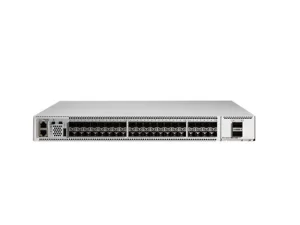
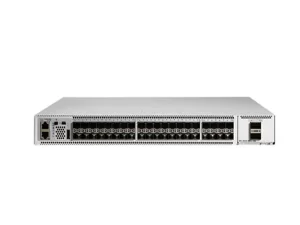
5. Product Focus: Cisco MDS 9148T 32G Fibre Channel SAN Switch (DS-C9148T-48PETK9)
For organizations deploying high-performance all-flash storage, the Cisco MDS 9148T (DS-C9148T-48PETK9) represents a compelling fixed-port SAN switch option.
5.1 At a Glance
Active Ports: 48 × 32G Fibre Channel — fully licensed out of the box
Auto-Sensing Speeds: 8/16/32 Gbps
Software: Cisco MDS 9000 Enterprise Package pre-installed
NVMe Support: Native NVMe/FC ready
Form Factor: 1RU rack-mountable
Power & Cooling: Dual redundant hot-swappable PSUs, 4 hot-swappable fan trays
5.2 Why This Configuration Stands Out
Fully Licensed from Day One
The -48PETK9 suffix matters. Unlike base models that require separate Port-On-Demand license purchases to activate additional ports, this version ships with all 48 ports fully active. No license management, no surprise costs—just plug and scale.
Enterprise Software Included at No Extra Cost
The bundled Enterprise Package unlocks advanced capabilities that are often optional upgrades on competing platforms:
Inter-VSAN Routing (IVR) for cross-fabric connectivity
Quality of Service (QoS) for prioritizing critical storage flows
Cisco TrustSec for FC link encryption
Advanced fabric security and access controls
NVMe/FC Ready for All-Flash Workloads
This Cisco switch natively supports NVMe over Fibre Channel alongside traditional SCSI traffic. This means you can connect next-generation all-flash arrays (such as Pure Storage, Dell PowerMax, or NetApp AFF) and immediately realize the sub-microsecond latency benefits of NVMe—without ripping out your existing FC management framework.
Deep Telemetry Without External Taps
Powered by Cisco NX-OS, the switch provides hardware-level frame inspection. Administrators can:
Monitor real-time I/O flows
Detect slow-drain devices before they impact production
Pinpoint latency bottlenecks across the fabric
All of this is built in—no need for external monitoring appliances or port mirroring.
Enterprise Availability
With dual hot-swappable power supplies and front-to-back airflow fan trays, the switch is engineered for mission-critical uptime. Firmware upgrades can be performed nondisruptively, ensuring that maintenance windows do not impact production storage I/O.
5.3 Common Deployment Scenarios for the MDS 9148T-48PETK9
| Scenario | How It Fits |
| Top-of-Rack for All-Flash Arrays | Directly connect 48 servers or storage controllers at 32G speeds with zero oversubscription. |
| Edge/Leaf in Core-Edge SAN | Aggregate server traffic and forward to a Cisco MDS 9700 director core for large-scale fabrics. |
| Data Center Refresh/Consolidation | Replace multiple 16-port or 24-port older SAN switches with one 48-port 32G switch—saving space, power, and licensing costs. |
5.4 Required Optics
To fully utilize all 48 ports, Cisco recommends the following transceivers:
DS-SFP-FC32G-SW — 32G shortwave SFP+ for OM3/OM4 multi-mode fiber (ideal for new 32G server/storage connections)
DS-SFP-FC16G-SW — 16G SFP+ for connecting legacy 16G HBAs or older storage arrays
6. How to Choose the Right SAN Switch for Your Data Center
When evaluating SAN switches for your environment, consider the following criteria:
| Consideration | What to Look For |
| Port Density | Does the switch offer enough ports for current needs plus room for growth? |
| Speed & Throughput | Does it support 32G (or 64G) to keep pace with all-flash arrays? |
| NVMe/FC Support | Can it run NVMe/FC alongside traditional FCP on the same ports? |
| Licensing Model | Are ports and advanced features fully included, or do they require costly unlocks? |
| High Availability | Does it have redundant PSUs, hot-swappable fans, and nondisruptive upgrades? |
| Manageability & Telemetry | Does it provide built-in monitoring without external appliances? |
| Fabric Interoperability | Does it integrate with your existing director-class switches or multi-vendor fabrics? |
7. Conclusion
Fibre Channel isn’t going anywhere. With NVMe/FC, it’s ready for the all-flash data center. The Cisco MDS 9148T-48PETK9 delivers what a modern SAN switch should: 48 ports of 32G Fibre Channel, native NVMe/FC support, and full licensing out of the box—all in a compact 1RU chassis. Whether you’re consolidating legacy storage, scaling all-flash capacity, or building a new fabric, the MDS 9148T gives you the performance and simplicity you need, without the usual complexity or hidden costs.