A Cisco bill of materials (BOM) lists the products, components, quantities, and dependencies needed for a Cisco equipment configuration. Use it to check that a supplier quote covers each required item before you issue a purchase order.
Two quotes can name the same switch and still leave you with different orders. One supplier may include the stacking cable in a kit. Another may list a cable separately, with a different length or no link to the kit at all. If you’ve ever had to reconcile quotes like these, the worksheet below gives engineering and purchasing one place to record what each supplier will deliver and what still needs approval.
Key takeaways
- Record the full Cisco product identifier (PID) and the required quantity by site and equipment role.
- Keep kit contents on child rows and count charges at the level where the supplier bills them.
- Compare quotes against the same configuration revision, delivery scope, and subscription term.
- Approve changes to a PID, accessory, or entitlement in writing before releasing the order.
What goes into a Cisco bill of materials?

Separate the design from the commercial documents
Start with the items the equipment must have to work in the intended deployment. Include chassis, modules, power supplies, cords, optics, and cables as applicable. Record software and support requirements alongside the hardware so the quote reviewer can check the terms against the same design. Add spares on their own lines so the site count and spare count can be approved independently.
An estimate records a proposed configuration and may serve as the basis for a quote. A supplier quote states the items and commercial terms on offer, typically with a revision and a validity date. A purchase order (PO) is the buyer’s order against an agreed scope. Keep each reference in a separate field so a revised estimate can be traced to the quote that actually went through review.
Cisco Commerce Workspace (CCW) may be part of that process. If you use it in your role, save the estimate reference and the configuration revision that went to the supplier. If your supplier manages the configuration, ask for the itemized output and a written explanation of any missing child lines. Cisco documents the quote workflow in its Cisco Commerce Quotes Quick Reference Guide.
For responsibilities and decisions across the full purchase, see the Cisco networking equipment procurement guide. For line-level review, copy the worksheet below into your quote request and give every supplier the same revision.
Catch missing dependencies early
Illustrative scenario. A branch project calls for two switches in a stack. The first quote shows both switches but leaves the stacking hardware blank. The engineer adds a separate stack requirement, marks its parts pending, and asks the supplier to itemize the kit and confirm cable length. The team can now track that gap without losing sight of the two switch lines already under review.
Cisco bill of materials worksheet and required fields
Give every requirement a stable row
Assign a line ID to each item you need to verify. Use a parent ID for any component that ships within a kit or bundle. Keep the ID when a quote changes so reviewers can compare revisions. If a supplier combines several requirements on one quote line, record that source line against each covered row and assign its charge to a single row.
The sample below covers one kit in isolation. Required quantities in a project depend on the switch count and the stack design. Cisco lists two stack adapters and a 50 cm stack cable with the C9300L-STACK-KIT. Its Type 3 cable choices also include 1 m and 3 m options. Confirm the part and order treatment for any alternate length with the supplier.
| Line | Parent | PID or item | Required | In kit | Quoted separately | Status | Evidence or next action |
|---|---|---|---|---|---|---|---|
| 010 | C9300L-STACK-KIT | 1 | 1 | Included | Match supplier quote line and revision | ||
| 011 | 010 | Stack adapter | 2 | 2 | 0 | Included | Confirm kit contents against quote |
| 012 | 010 | 50 cm stack cable | 1 | 1 | 0 | Included | Measure installed cable route |
| 020 | Longer stack cable | TBD | TBD | Pending | Confirm exact PID, quantity, and price impact if needed |
The quantities in the quote columns are illustrative. In your copy, add columns for site, rack or device role, owner, and the supplier’s original quote line. Keep the full PID in a text field, including any suffix. For license or support lines, add tier, term, coverage scope, and the covered hardware or deployment reference.
Use status to show what still needs a decision
| Status | Meaning | What to record |
|---|---|---|
| Included | The supplier confirms this item is in the offered scope | Quantity and quote line, including any parent line |
| Optional | The supplier offers this as a separate choice | Price, decision owner, and date needed |
| Excluded | The supplier confirms the item is outside the offer | How you will cover the requirement if it is still needed |
| Pending | An item, quantity, term, or claim needs confirmation | Exact question, owner, and due date |
Use the status for each supplier independently. If a required item is excluded from both offers but available from existing stock, record who verified the stock and checked it against the design. Leave unknown quantities and amounts blank or mark them TBD. A zero should mean you confirmed that no separate unit or charge applies.
How to validate hardware and dependencies
Match the exact model and installation
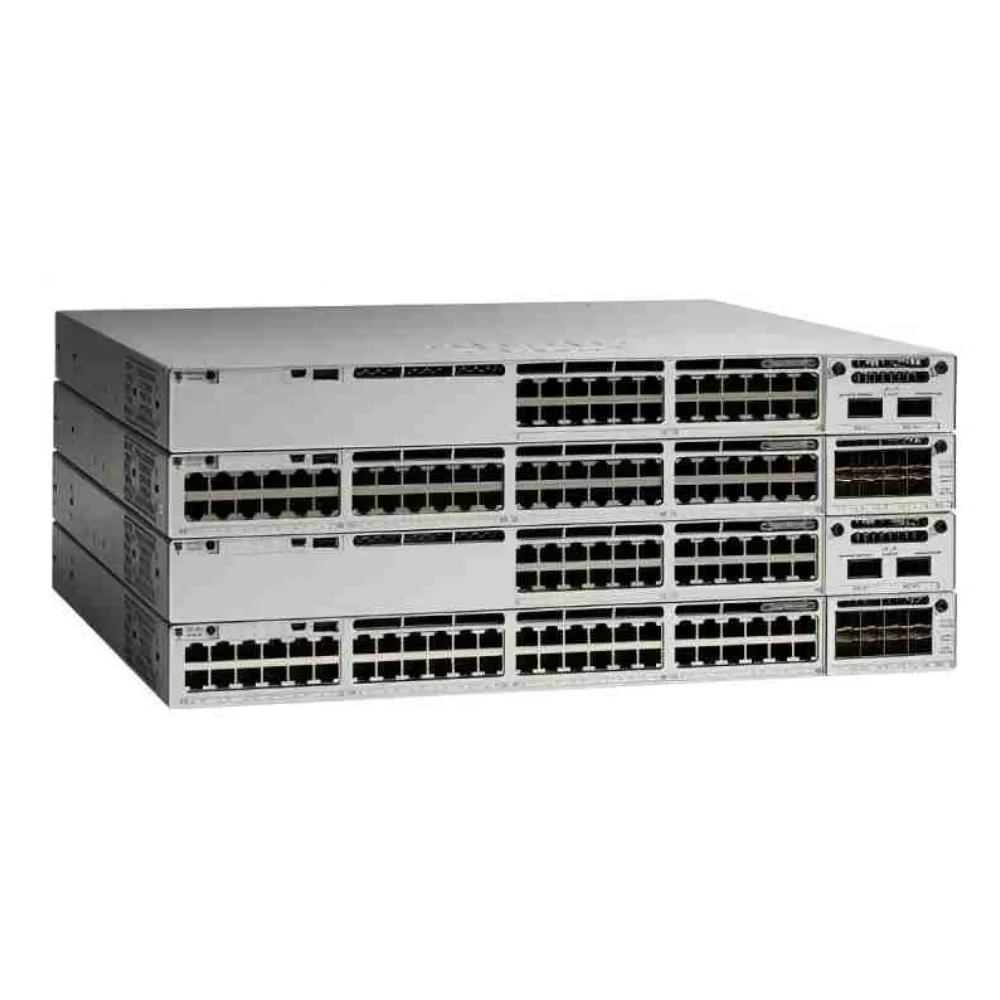
Start with the complete hardware PID, then check the platform and port layout against your design. Catalyst 9300L has fixed uplinks. A modular uplink part such as C9300-NM-4G belongs in a separate model review, even if a quote uses the broader Catalyst 9300 family name. Confirm the full configuration in Cisco’s ordering guide before adding a module to the list.
Check what ships with each chassis and what needs a separate line. For power, document the number of supplies, the required redundancy, the cord and plug, and the power source at the rack. If the design calls for a spare supply, identify it as a spare. It should be easy to see whether a second unit is for the installed chassis or for shelf stock.
For stacking, mark each switch and cable route on a rack sketch. Measure the path the cable will actually follow, including bends and any distance between rack units. Identify the required components and lengths from the design, then verify how the supplier will quote them. The video shows physical stacking on Catalyst 9300X. Use the ordering guide for the exact hardware and cable requirements of other models.
If your team is still choosing a platform, use the enterprise network switch buying guide. You can also browse Cisco networking equipment for product references to add to the quote request.
Verify both ends of each link and each entitlement
Give every planned uplink a link ID. Record both endpoints, their ports, the intended speed, the media type, and the route length. If the design reuses optics or cable, note which parts you have and who will verify the relevant platform and software support. Ask the engineer to sign off before removing these parts from the quote request.
Review software and support on separate rows whenever their scope could differ. Record the license tier, subscription term, and any account assignment the applicable program requires. For support, capture the coverage period, the hardware or software it applies to, and the provider stated on the offer. Ask the supplier to identify where each commitment appears in the quote.
How to compare quotes against your Cisco bill of materials
Normalize scope before comparing totals
Start with the BOM revision, site quantities, and delivery destination. Record the currency, quote validity, tax treatment, freight, and any stated delivery assumptions for each supplier. Split one-time charges from recurring charges. Compare subscription and support lines over the same term, and ask how a renewal or an optional year is priced if it affects the decision.
Put both offers side by side against your stable row IDs. Check required quantity against quantity included in the kit and quantity quoted separately. Review each supplier’s status before calculating a comparable subtotal. If a required item is pending, identify the gap next to the subtotal so it stays visible when you share the comparison.
For a multi-site rollout, compare the site subtotal before combining locations. A shared accessory can look like a missing unit if one supplier lists it at project level and another lists it at site level. Assign it to the site or shared inventory that will receive it, then check the project total. If a supplier ships in batches, ask which items will be on each shipment and record whether that split meets the site plan.
| Requirement | Supplier A | Supplier B | Action before comparison |
|---|---|---|---|
| Stack kit | One kit, billed on parent row | One kit, billed on parent row | Confirm full PID and kit contents |
| Stack adapters | Included in kit | Listed as a separate charge | Ask whether the charge is for extras |
| Cable | Standard cable included | Length unstated | Confirm length and any separate price |
| Support | Same term as requested | Coverage period pending | Get dates and normalize the term |
Reconcile duplicate or missing charges
Illustrative scenario. Supplier B lists two adapters below the kit and attaches a price to them. Purchasing asks whether they are extra spares or the same adapters shipped in the kit. If they are the kit contents, the team requests a revised offer with the charge assigned once. If they are spares, the team moves them to their own requirement line and decides whether to buy them.
Keep quote totals in one column and your comparison totals in another. When you exclude an optional spare or flag an unknown freight charge, record the reason. That way a buyer can reproduce the comparison using the original documents. The network switch procurement checklist covers the next steps from ordering through acceptance.
How to approve substitutions and freeze the BOM

Treat each replacement as a change request
Record the original PID, proposed PID, reason for the change, and affected line IDs. Have the technical owner check the change against the required features and the rest of the configuration. Have purchasing check price, term, delivery assumptions, and the supplier’s written description. If the change affects software or support, send it to the person who owns that entitlement.
Illustrative scenario. A supplier offers another configuration that meets the physical port requirement but quotes a shorter software term. The licensing owner asks which features are included and when the term ends. Purchasing keeps the substitute pending until the supplier provides an itemized revision that can be compared against the requested term.
Tie the approved revision to the order
Save the approved worksheet with its revision and date, the quote number and revision, and the supporting evidence. Record the approver and date for each accepted substitution. Check that the PO lines point to the agreed offer and reflect any approved exclusions or additions. Send the same version to the people responsible for deployment and receiving.
Set a release condition for each open row. If the team can move ahead while a line remains pending, record who approved that decision and when the line must be resolved. When a supplier changes a part or term after approval, reopen the affected rows and keep the earlier revision in the order file.
Store the evidence next to the Cisco bill of materials so the approver can tell which revision a supplier confirmed. For example, name the original quote, corrected quote, and approval record in the change log. If you copy the file for another site, recheck the ports, cord types, and quantities before you reuse those approvals.
Cisco BOM questions and final checks
What is an example of a Cisco BOM?
A switch BOM can list each switch, the required power and uplink components, and any stacking hardware, software terms, and support lines. The worksheet above shows how to represent a C9300L stack kit and its children while keeping the supplier’s charge on the parent.
How do I get a Cisco BOM from CCW?
If you have access to the relevant Cisco Commerce workflow, use its configuration or estimate details to capture the items and quantities. Ask the supplier for an itemized estimate or quote if they own the configuration. For example, Cisco documents a CSV export and CCW estimate workflow for Cisco Nexus Hyperfabric. Check your own workflow for available export options.
Can I use a hardware-only BOM for an order?
You can use a hardware-only list to request hardware pricing. If the deployment also needs licenses or support, track those in the quote comparison and state who will provide them. Confirm the purchase scope before approving the order.
Does a different PID suffix matter?
Treat a changed suffix as a different ordering identifier until you check it against the applicable Cisco documentation and the supplier’s quote. Ask what changed and which accessories, terms, or configuration options are affected. Keep the full approved identifier in the worksheet and order.
Before you issue the purchase order
Check that every required item is covered, each kit is priced once, and both the quote and PO use the approved configuration. For a hardware inquiry, request a Cisco equipment quote from CREA DAS TECH with your PIDs, quantities, delivery destination, and the rows you want the supplier to clarify.