Key Takeaways
- Check five things before choosing an Enterprise router: traffic, ports, network role, future upgrades, and compatibility.
- Choose enough processing power to handle your network traffic.
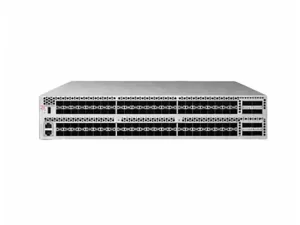
- A High performance core router suits large networks with heavy data traffic.
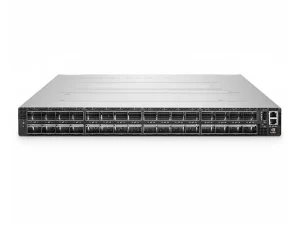
- A Rack mount router saves cabinet space and is easy to install and maintain.
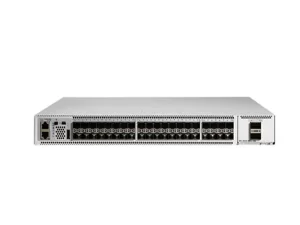
- An MPLS router supports private networks and connections to service providers.
- A Core router with high-speed ports works well for dense network setups.
What Should You Consider When Choosing an Enterprise Router?
Do not choose an enterprise router based on speed alone. If you seek a suitable device, align it with your real-world network conditions. Small sites avoid over-powered hardware, but large networks need enough ports and routing power for growing traffic.
Network Size and Traffic Requirements
Always forecast current and future traffic when you assess your network. If network load rises, your router may face performance limits. Focus on total bandwidth, meaning the overall data capacity of your network, and plan for peak traffic and expansion.
Port Speed and Port Density
Port speed and port density play key roles in router selection. Large-scale networks demand faster Ethernet links beyond traditional 1G or 10G standards. High port density saves rack space and power resources, though this feature should not be your only consideration. All selected ports need good compatibility with your existing cables and network hardware.
Network Role and Required Features
Define a router’s network role before comparing models. Edge-placed routers (connecting local networks to external systems) focus on connectivity and security, while core-placed routers (handling inner-network data transfer) stress routing power and stable performance. Businesses using private-network MPLS services need an MPLS router to fit existing network rules. The router should also work with your daily management processes to reduce later maintenance work.
How Can an Enterprise Router Support Network Growth?
Future network growth should be your top concern when buying enterprise routers. Network requirements seldom stay fixed after setup. If you add offices, cloud resources or heavy-use applications, your network hardware will bear extra pressure. Plan ahead to support rising business needs.
Scalability for Future Expansion
Scalability (the ability of hardware to grow with your business) should be your top priority when selecting a router. If you plan future port upgrades toward higher-speed standards, your device needs practical upgrade support. Purchasing hardware only for current traffic will cause early replacement. Reserve reasonable capacity for real business growth rather than blindly picking the highest-spec router.
Reliability and Network Availability
Reliability (how well the machine keeps working) matters most for routers in key network spots. If the machine breaks, it can stop many network links at once. Check extra power supplies, cooling and swappable parts, and match redundancy (backup parts that protect you when one fails) to your rack setup. Pick the right backup level based on what could happen if a part fails.
Compatibility With Existing Network Equipment
Compatibility is critical for your new router selection. It means your new device can cooperate smoothly with other network equipment. If you install it, the device must work alongside your current network gear, and matching port speed alone is not enough. Pay extra attention to optical parts. These components transfer data through light signals, and wrong settings can stop normal operation. If you use hardware from several brands, run simple compatibility checks before large purchases.
Why Choose the Juniper MX304 Enterprise Router?
The Juniper MX304 enterprise router is designed for business-grade high-speed network routing.
This compact 2RU fixed-port device offers high-density routing performance.
It features a 4.8 Tbps total system capacity. Different configurations support up to 12 × 400GbE ports or 48 × 100GbE ports.
The hardware suits deployments that require high port density and high-speed network connections in a compact chassis.
| Specification | Juniper MX304-HW-BASE |
| Form Factor | 2RU rack-mountable |
| Switching Capacity | 4.8 Tbps |
| Forwarding Rate | 3.6Bpps |
| Port Configuration | Up to 12 × 400GbE QSFP-DD or 48 × 100GbE QSFP28 |
| Routing Engine | 1 (base); optional 2 |
| Power Supply | Redundant AC (1+1); optional DC/HVAC/HVDC |

High-Density Routing in a 2RU Design
The MX304 delivers high-density routing within a compact 2RU chassis. It offers up to 4.8 Tbps system capacity and supports flexible combinations of high-speed interfaces.
Its dense ports consolidate network connections when rack space is limited.
This device provides optional dual control units, backup power supplies and front-to-back cooling.
It suits network deployments if you balance rack room, power supply and steady hardware performance.
Flexible Connectivity for Enterprise and Data Center Networks
The MX304 delivers flexible network connections for enterprises and data centers. It supports many Ethernet speed options, so network teams gain more choices when they build infrastructure.
If businesses expect future expansion or merge existing network hardware, one chassis can handle different connection requirements.
This product functions as a high-density routing platform, not merely a basic high-speed network device.
Junos OS for Network Management
The MX304 runs Juniper’s Junos OS and supports mainstream network management tools. It delivers practical value for businesses already using Juniper devices or Junos-based automated workflows.
Automation and unified settings grow more important as networks expand with more devices and connections.
Buyers should check software requirements ahead of purchase, since available features change with configuration, licenses and deployment plans.
When Is the MX304 a Good Choice?
The MX304 suits network projects that need dense ports, strong routing performance and a compact physical unit.
It fits large enterprises, data centers and operator-grade environments requiring 100G or 400G network links, yet it is over-powered for small offices with light traffic.
Project teams need to match the router’s port density, performance and expandable functions against real-world network requirements.
Enterprise Router Buying Checklist
Before placing an order, buyers should verify the exact configuration rather than comparing model names alone.
Confirm the Exact Hardware Configuration
Buyers should check routing-control-unit specs, power parts, port setups and software kits for the actual offered unit.
This check carries special weight for refurbished, surplus or reseller-supplied gear, as units sharing the same model name may hold different internal hardware.
Check Optical Modules and Compatibility
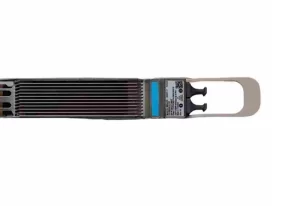
High-speed ports only work with matching optical parts and cables.
Buyers need to confirm interface types and signal distance before purchase, and check that optical parts fit both the router and far-end devices.
This check matters more when networks handle 100G or 400G data, because these optical parts can cost much of the whole project budget.
Compare Price and Long-Term Value
Low purchase price for network hardware does not mean the lowest overall operating cost.
Buyers need to consider hardware settings, optical parts, software, power consumption, support services and future growth plans while choosing devices.
A high-density router brings greater value when it takes the place of several less-powerful units, though unused extra performance will increase upfront costs with no real gain.
Corporate purchasers should evaluate total lifetime costs rather than only looking at hardware price.
Frequently Asked Questions
What Is an Enterprise Router Used For?
An Enterprise router connects different networks and directs IP traffic between them. Depending on the deployment, it can be used for WAN connectivity, data center interconnection, branch connectivity, Internet access, or core network routing.
How Do I Choose the Right Enterprise Router?
Start with traffic requirements, port speeds, port density, network role, redundancy, compatibility, and expected growth. The router should provide enough capacity for current traffic while leaving reasonable room for expansion.
What Is the Difference Between a Core Router and an Enterprise Router?
A Core router generally operates in the central part of a network and handles large volumes of traffic between major network segments. An Enterprise router is a broader category that can include edge, WAN, distribution, and core routing platforms used by enterprises.
A high-capacity High performance core router is therefore a type of router that is designed for demanding central-network workloads rather than a separate technology category.
What Is the Difference Between an Enterprise Router and a Layer 3 Switch?
Both can perform Layer 3 routing, but their typical roles and feature sets can differ. Layer 3 switches are often used for high-speed LAN switching and routing, while routers are commonly used for WAN, edge, service-provider, and more advanced routing functions.
The correct choice depends on the network architecture rather than the device name alone.
How Many 400G Ports Does the Juniper MX304 Support?
According to Juniper’s official documentation, the MX304 supports up to 12 × 400GbE ports in a single chassis. It can also support up to 48 × 100GbE ports or a combination of supported interface configurations.
Conclusion: Is the Juniper MX304 Right for Your Network?
When you select an enterprise router, focus on your real-world network needs instead of product models. The Juniper MX304 fits well if you require dense high-speed connections for large-scale networks, yet it may offer more power than small networks actually need. If you plan to buy this device for new deployment or upgrades, compare your traffic and port demands and check full hardware settings before you place an order. You can find reference specifications for the MX304-HW-BASE on the CreadaTech product page.If you are sourcing a Juniper MX304, contact CreadaTech to confirm the exact hardware configuration, interface options, and availability before ordering.