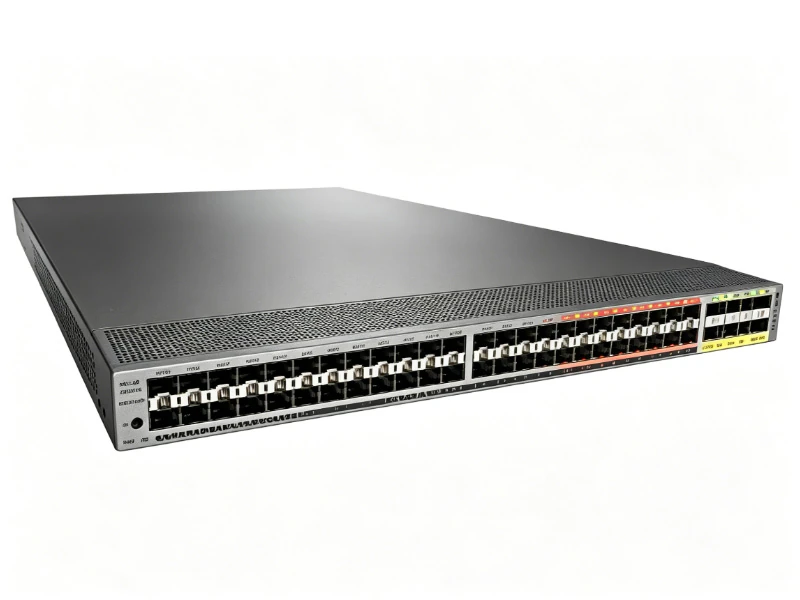
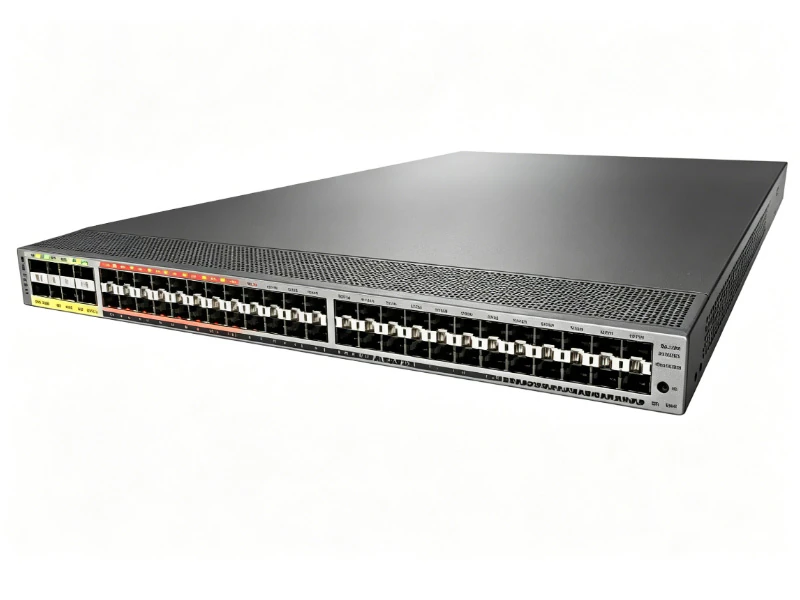
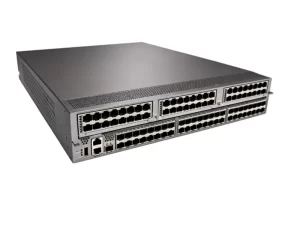
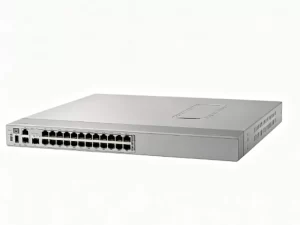
The Cisco MDS DS-C9148S-12PK9 is a highly reliable 16G Fibre Channel SAN switch. Featuring 12 active ports (expandable to 48), it delivers affordable, enterprise-class storage networking and seamless scalability for departmental and entry-level SAN environments.
Quick Specs:
· Product Type: Fibre Channel (FC) SAN Switch
· Active Ports: 12 Base Ports (Expandable to 48 via PoD)
· Port Speed: 2/4/8/16-Gbps Auto-sensing
· Bandwidth: 768 Gbps end-to-end
· High Availability: Dual Redundant Power Supplies
· Form Factor: 1RU Rack-mountable
Comprehensive Product Overview
The Cisco MDS 9148S (DS-C9148S-12PK9) is a next-generation, enterprise-class 16-Gbps Multilayer Fabric Switch designed specifically for Storage Area Networks (SAN). Powered by the robust Cisco NX-OS operating system, it provides high-performance, low-latency connectivity between enterprise servers and mission-critical storage arrays (such as all-flash arrays and NVMe environments). What makes the DS-C9148S-12PK9 highly sought after by B2B IT buyers is its incredibly flexible Ports on Demand (PoD) licensing model. Out of the box, the chassis features 48 physical ports, but only 12 ports are active. As your storage network grows, you can activate additional ports in 12-port increments via software licenses, allowing you to “pay as you grow” without needing to rip and replace hardware or consume additional rack space.
Key Features & Business Benefits
High-Performance 16G Fibre Channel: Delivers up to 16-Gbps of dedicated bandwidth per port with zero oversubscription. It ensures deterministic performance for demanding storage workloads, databases, and highly virtualized server environments.
Pay-As-You-Grow Scalability (PoD): The base -12PK9 model provides an affordable entry point with 12 active ports. IT administrators can seamlessly scale to 24, 36, or a full 48 ports using simple software license upgrades, protecting the initial hardware investment.
Enterprise-Class High Availability: Built for zero-downtime storage environments. The switch features dual hot-swappable redundant power supplies, hot-swappable fan trays, and Non-Disruptive Software Upgrades (ISSU) to ensure continuous data access.
Advanced SAN Features (VSANs): Natively supports Virtual SANs (VSANs), allowing administrators to create hardware-based isolated environments within a single physical switch. This enhances security, improves network stability, and simplifies storage multi-tenancy.
Simplified Management: Easily managed via the Cisco Data Center Network Manager (DCNM) or the intuitive built-in Device Manager CLI, providing deep visibility into storage traffic and rapid zoning configuration.
Technical Specifications
Specification
Details for DS-C9148S-12PK9
Product Series
Cisco MDS 9000 Family (MDS 9148S)
Total Physical Ports
48 x Fibre Channel SFP+ Ports
Active Base Ports
12 Ports Licensed and Active
Supported Speeds
2, 4, 8, and 16-Gbps Auto-sensing
Aggregate Bandwidth
768 Gbps (End-to-End full duplex)
Operating System
Cisco NX-OS
Advanced Features
VSAN, PortChannels, NPIV (N-Port ID Virtualization)
Power Supplies
2 x 300W AC (Dual Redundant, Hot-swappable)
Cooling
4 x Hot-swappable Fan Modules (Front-to-back airflow)
Rack Units (RU)
1 RU
Dimensions (H x W x D)
1.72 x 17.16 x 16.34 in. (4.37 x 43.59 x 41.50 cm)
Ideal Application Scenarios
Entry-Level to Mid-Market SAN: The perfect, cost-effective storage switch for small to medium businesses (SMBs) deploying their first shared storage array (SAN) or migrating from Direct Attached Storage (DAS).
Edge Switch in Core-Edge Architectures: Deploy the MDS 9148S at the edge of the data center to aggregate server Host Bus Adapters (HBAs), routing the traffic securely to higher-end Cisco MDS 9700 Series core directors.
Departmental Storage Isolation: Utilize Cisco’s VSAN technology to securely separate HR, Finance, and R&D storage traffic on the same physical switch without purchasing multiple standalone devices.
Licensing & Optical Transceivers (Build Your BOM)
To successfully deploy the DS-C9148S-12PK9, ensure you have the necessary ecosystem components: Port Upgrade Licenses: M9148S-PL12-REQ (12-Port On-Demand Activation License to expand from 12 to 24, 36, or 48 ports). 16G SFP+ Transceivers: DS-SFP-FC16G-SW (16-Gbps Short Wave SFP+ module for multi-mode fiber connections). 8G SFP+ Transceivers: DS-SFP-FC8G-SW (8-Gbps Short Wave SFP+ for backward compatibility with older servers/storage). Enterprise Package License: Optional license (M9148S-ENT1K9) to unlock advanced features like TrustSec FC Link Encryption and advanced traffic engineering.
Frequently Asked Questions (FAQ)
Q1: What does the “-12PK9” mean in the DS-C9148S-12PK9 part number?
A1: The -12P indicates that while the switch chassis has 48 physical slots for SFP+ modules, only 12 ports are licensed and active out of the box. The K9 indicates the inclusion of cryptographic features (like SSH and encryption protocols).
Q2: Are the optical SFP+ transceivers included with the switch?
A2: No. The DS-C9148S-12PK9 is typically sold as the base chassis with power supplies and fans. The 16G or 8G Fibre Channel SFP+ transceivers (such as DS-SFP-FC16G-SW) must be purchased separately based on your connection requirements.
Q3: Can this switch connect to my regular Ethernet/IP network?
A3: No. The MDS 9148S is a dedicated Fibre Channel (FC) Storage Area Network (SAN) switch. It is designed exclusively to connect server Host Bus Adapters (HBAs) to Fibre Channel storage arrays. It does not route standard IP/Ethernet LAN traffic.
Q4: Is the 16G switch backward compatible with older 8G or 4G equipment?
A4: Yes. The ports are auto-sensing and fully backward compatible. If you install a 16G SFP+ transceiver, it can automatically negotiate down to 8-Gbps or 4-Gbps to match the speed of legacy storage arrays or server HBAs.
Q5: How do I upgrade from 12 ports to 24 ports?
A5: You do not need to buy new hardware. You simply purchase a 12-port activation license (M9148S-PL12-REQ). Once the license key is applied via the Cisco NX-OS command line or DCNM interface, 12 additional physical ports instantly become active without rebooting the switch.